
Follow up before they leave the booth
Take a photo of the business card. Take a selfie together. Leave a voice note if you have time. An AI agent researches them and sends the follow-up from your own mailbox.
Not off the shelf. We set it up for your company and your next show.


What is Ascend Connect?
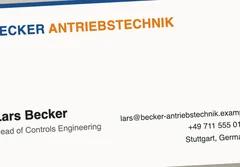
Ascend Connect is a trade show follow-up app. At the booth you photograph a business card, take a selfie with the person and, if you have a moment, leave a voice note. An AI agent researches them, writes a short personal email from your own template, and sends it from your own mailbox. The contact lands in your CRM.
It is built for the moment that breaks most follow-up: you are talking to someone, three more are waiting, and there is no time to write anything down. So we took writing it down out of your hands.
A busy booth is the goal. It is also the problem.
The point of a trade show is a booth with people at it.
Then it happens. You talk to 50 people a day and cannot write anything down. You get home from SPS Nuremberg with a stack of cards, a full inbox and a week that is already gone. The email you meant to send turns into a late email, then a cold one.
You do not need to write more notes. You need to be at the booth, having good conversations.
So the follow-up happens in the background. Photo, selfie, maybe a voice note, next person. You enjoy the conversation. Your CRM takes care of itself.
How do you follow up after a trade show?
Four steps. The first takes less time than the handshake.
Card, selfie, a few words
Photograph the card, take a selfie together and say what mattered. No time? Skip the voice note. Two people at the booth? Add both cards.




Save and turn to the next person
It is saved on your phone first and uploads in the background. No waiting.
Review it, or let it send
You wrote most of the email. The AI agent only fills in the blanks, using what you said and what it found about them. Look it over, or let it go.
It reads like a person wrote it
Because one did. It goes out from your mailbox with your selfie and a couple of links that fit them, and the contact is saved to your CRM.
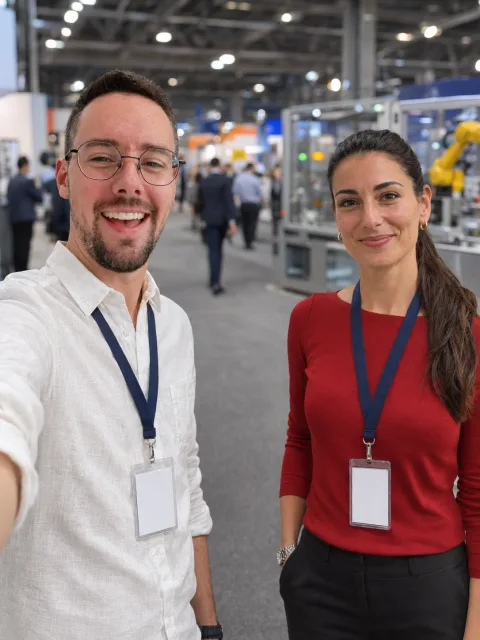
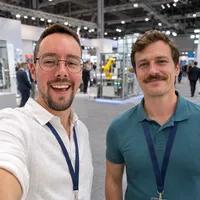
Made-up people and details, shown for SPS Nuremberg. The selfies are AI-generated.
Part of a system for trade shows
Ascend Connect is the middle piece. Around it we help you fill the booth before the show and follow up after it.
Before the show
We find who is going
We find people likely to be at the show who might care what you do, and email them ahead of time.
Before the show
We fill your booth
Interested people get a time to come by. Your booth looks busy because it is busy.
At the show
You talk, we capture
This is Ascend Connect. Card, selfie, voice note if you can. Then straight to the next person.
After the show
The follow-up is done
Everyone gets a personal email, and your CRM is already up to date.
Built for a busy booth
You get one chance per visitor. It has to just work, with no time to double-check.
Saved on your phone first
The moment you tap save, the connection is stored on the phone. It sends when there is a connection, so a bad signal never costs you a lead.
Uses very little data
Photos are shrunk on the phone before they send. A card and a selfie upload in a moment, even on a slow hall connection.
Next person, right away
Tap save and turn to the next visitor. You are never waiting on an upload and never checking that it went through.
Nothing lost, nothing doubled
If it cannot send, it keeps trying until it does. Close the app or lock the phone and it carries on, and a retry never creates a duplicate.
You write the email. The AI fills the blanks.
Write the follow-up once, the way you would. Then mark the few places the AI may fill in: one sentence about what was said, or which links fit this person.
- Everything else is sent exactly as you wrote it.
- The AI only uses what you said and what is on their website. It never invents.
- Links come from your own library, never made up.
- Sent from your mailbox, so replies come straight to you.
- Research system for a two-person sales team Looking forward to connecting again soon. Tim
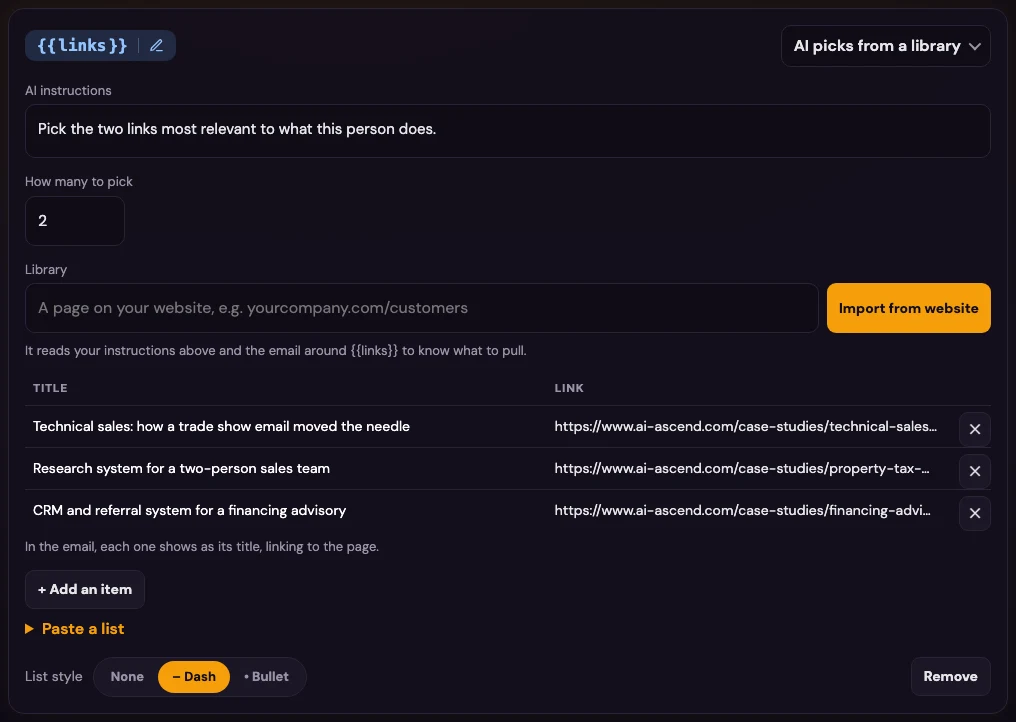
Point it at your website. It builds the library.
Give it the page that lists your case studies or articles. It reads each one and adds the title and link. The follow-up then includes the ones that fit the person you just met.
Every connection also lands in your CRM as a person and company, with a note, and you can export everything as a CSV.
Who it is for
Small sales teams that exhibit a few times a year and cannot afford a cold follow-up.
Technical sales teams at SPS, Hannover Messe and similar shows
Founders who work the booth themselves
Teams that talk to 50 people a day and remember 5
Anyone whose follow-up email still lives on a to-do list
Trade show follow-up: questions
What Ascend Connect does, what it needs, and what it does not do.
What is Ascend Connect?
Ascend Connect is a trade show follow-up app built by AI Ascend. At the booth you photograph a business card, take a selfie with the person and, if you have a moment, leave a voice note. An AI agent researches them, writes a short personal follow-up from your own email template, and sends it from your own mailbox. The contact is saved to your CRM. It installs on a phone from the browser, like an app.
How do you follow up with trade show leads without writing everything down?
You capture the person in a few taps while you are still talking to them: card, selfie, and a voice note if there is time. The follow-up is written and sent for you, so there are no notes to type up in the evening and nothing left in a pile of cards to deal with next week.
What if I do not have time for a voice note?
That is fine. A card and a selfie are enough. The AI agent reads the card, finds their company website, works out what is interesting about them, and writes from your template. A voice note just lets you add something only you know, like "they are opening a new plant in Stuttgart".
How fast does the follow-up go out?
The same day, often before you have left the booth. You choose how: each email can wait as a draft for one tap to approve, or send itself after a short delay. Most teams start with drafts, then switch once they trust it.
Does the email sound like us?
You write the email. The AI only fills the blanks you allow, such as one sentence about what was said, or which links to include. Everything else is sent exactly as you wrote it. If there is not much to go on, it falls back to the simple version you wrote.
What if the Wi-Fi is bad in the exhibition hall?
It does not change anything for you. Each connection is saved on your phone first and sent when there is a connection, even if you close the app. Photos are shrunk before they send, so they use very little data, and a retry never sends a duplicate.
Which mailbox does it send from?
Your own Gmail, Google Workspace or Outlook mailbox. The email lands in your Sent folder and replies come straight to you, so it reads like a note from a person.
Does it connect to our CRM?
Yes. Every connection lands in your CRM as a person and company, with a note. You can also export everything as a CSV at any time.
Is it OK to email people from a business card?
It uses work contact details the person chose to hand you, and every email carries a simple way to opt out. Photos stay in your own account. Rules differ by country, so check what applies where you exhibit.
How do I get it?
Send me an email or book a call. We set it up for your company: your logo and colors, your email template, your links, your CRM. If you have a trade show coming up, tell us which one and we will say honestly whether it fits.
Going to a show soon?
Tell me which one. We will set it up with your logo, your email and your links, and say honestly if it is worth it.