
An AI Ascend product
Ascend Intent
Talk for two minutes.
Get a video and a post.
It suggests questions your customers ask. You answer one out loud. It adds captions, writes the LinkedIn post in your style, and posts it when you say.
Your first 3 videos are free. Works on your laptop and your phone.
You know your work. Posting is the hard part.
Most people who know their field well never post. It is not a lack of ideas. It is everything around the idea.
“I don't know what to say.”
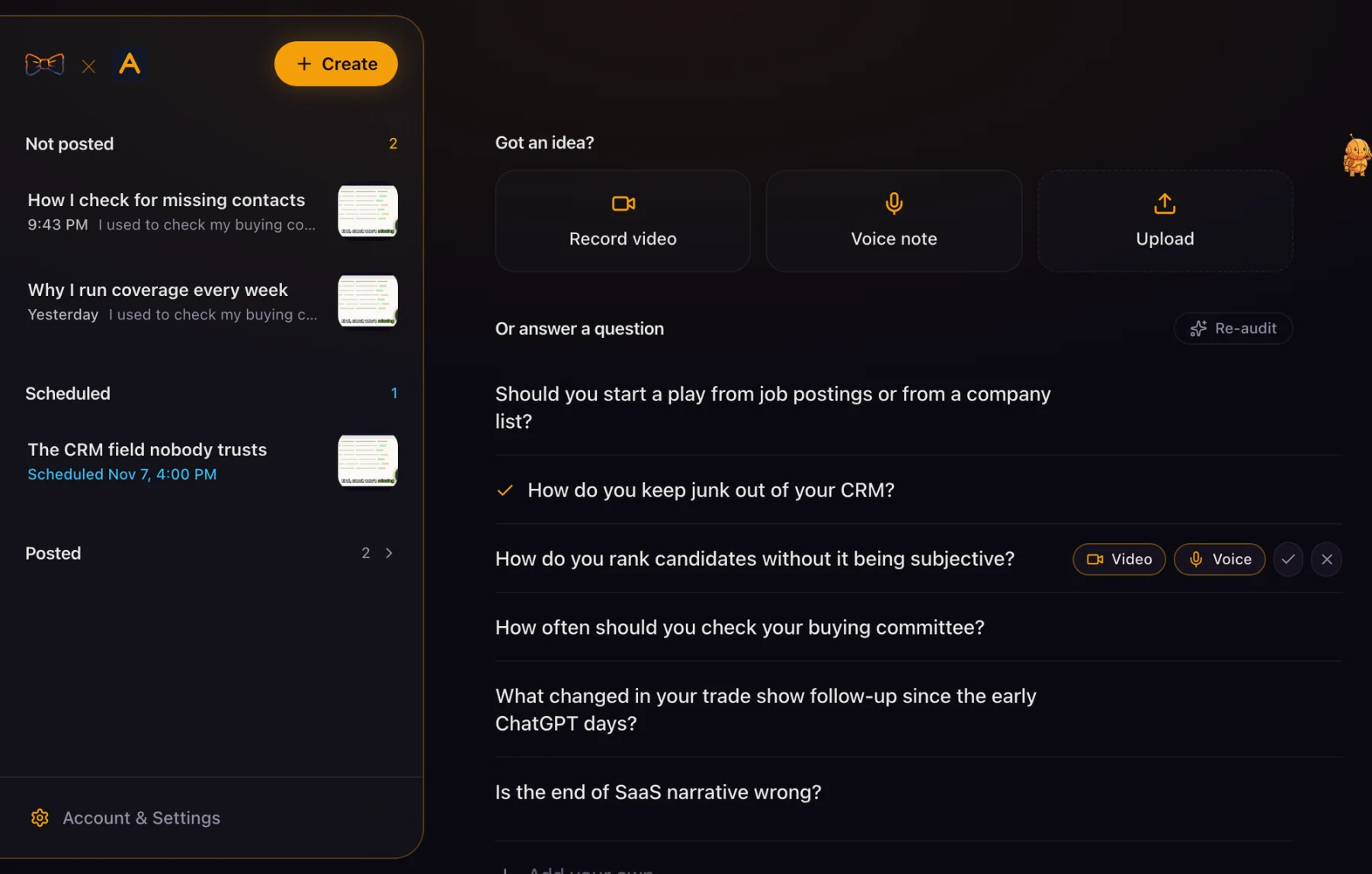
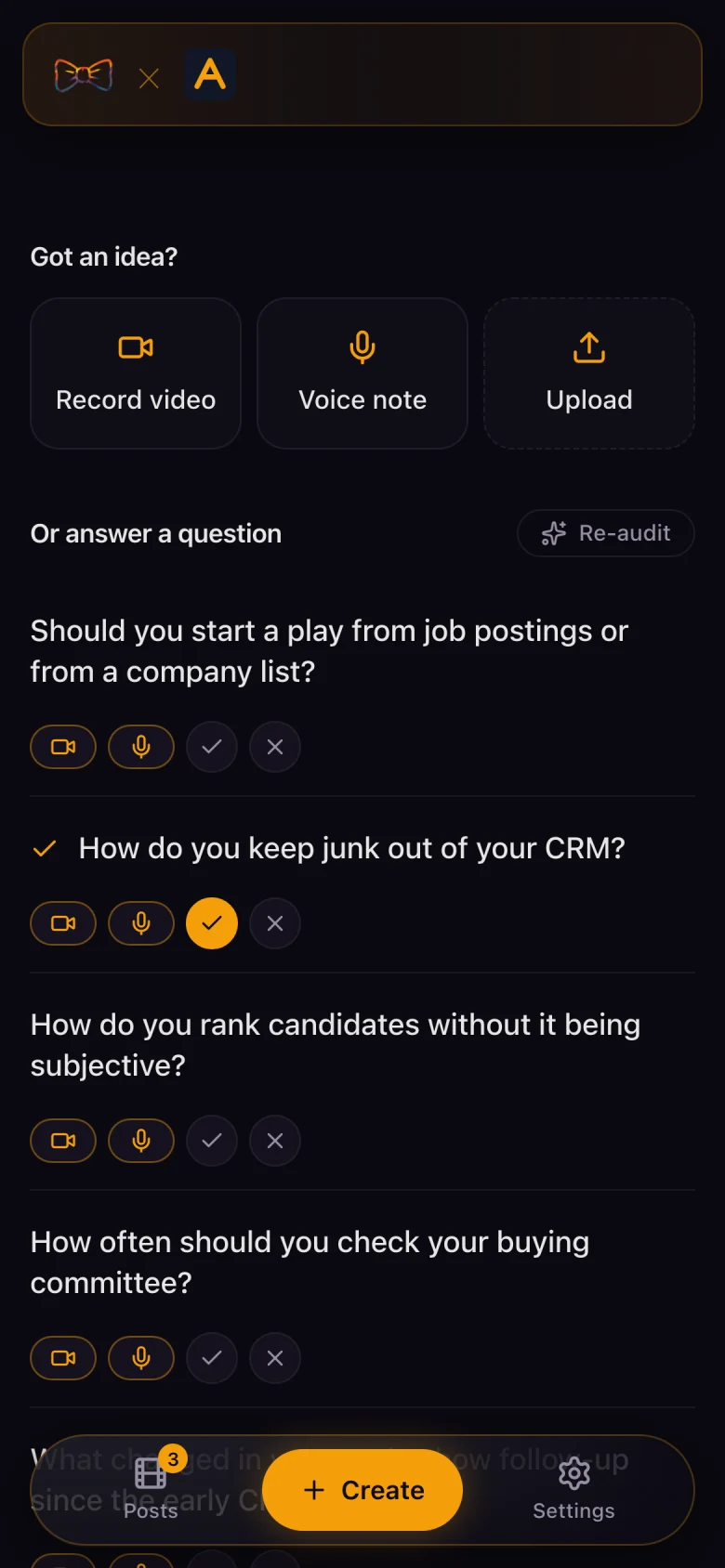
You get a short list of questions your customers ask. Pick one.
“Editing takes longer than talking.”
You don't edit. Captions and your logo are added for you.
“AI posts all sound the same.”
The post comes from what you said, in a style learned from your own LinkedIn posts. You can change every word.
“I forget to post.”
Schedule a post for later. Scout, the little guide in the app, nudges you when it is time to record.
“I record my screen, not my face.”
Upload any video, or pull a recording straight from Cap.
“I don't want another tool to learn.”
Three buttons and a list of questions. That is the whole home screen.
One place, from question to posted video.
You tell it about your business once. It suggests questions your customers ask. You answer one by video or voice note. Then it does the rest.
You still do the one part only you can do. You say something true about your work.
How it works
Four steps. Most videos take a few minutes.
Pick a question
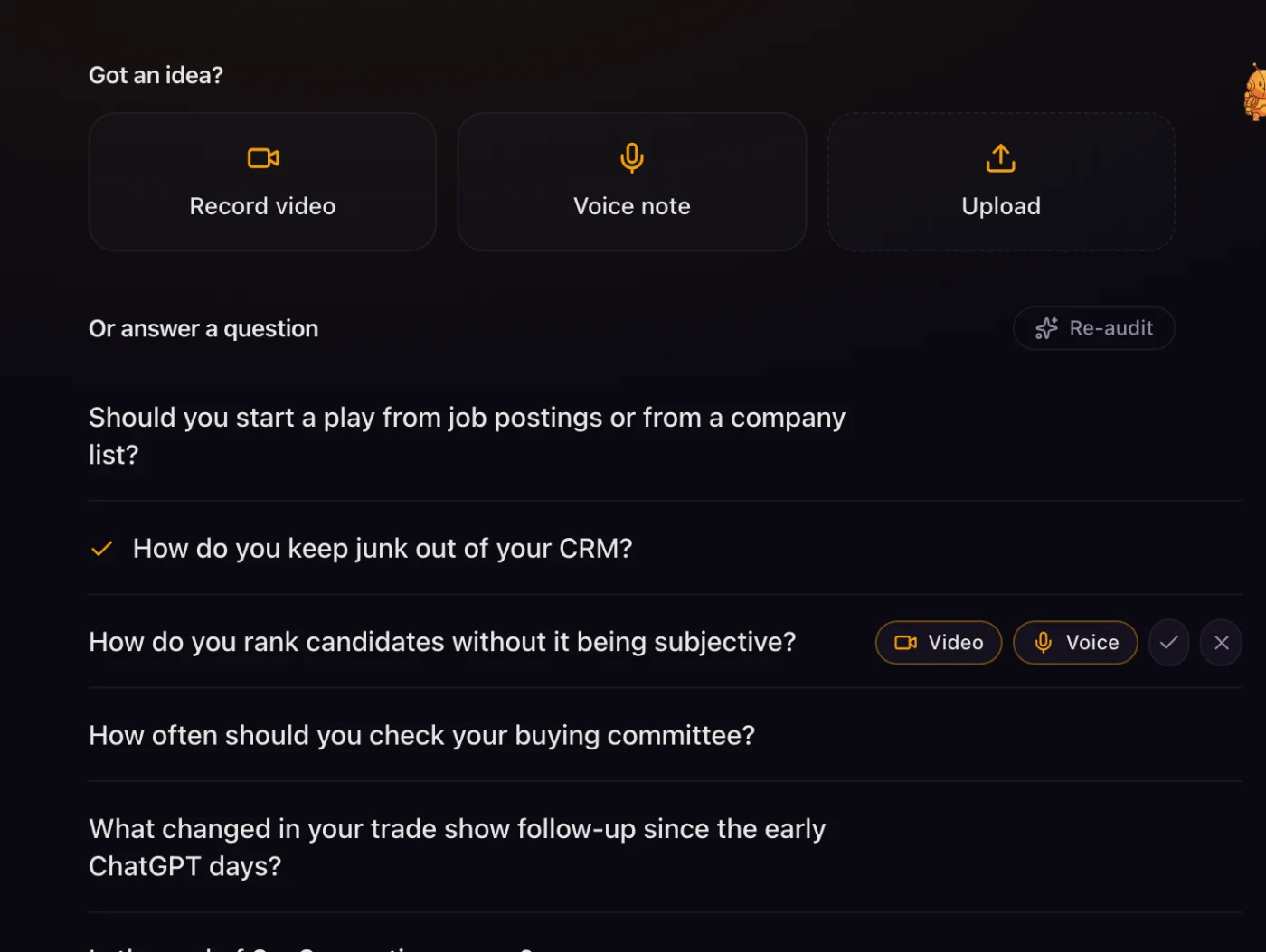
Each question is one short sentence. Tick the ones you like. Cross off the ones you don't.
It learns from both, and it never suggests a crossed-off question again. Want to answer something else? Add your own.
Record, speak or upload
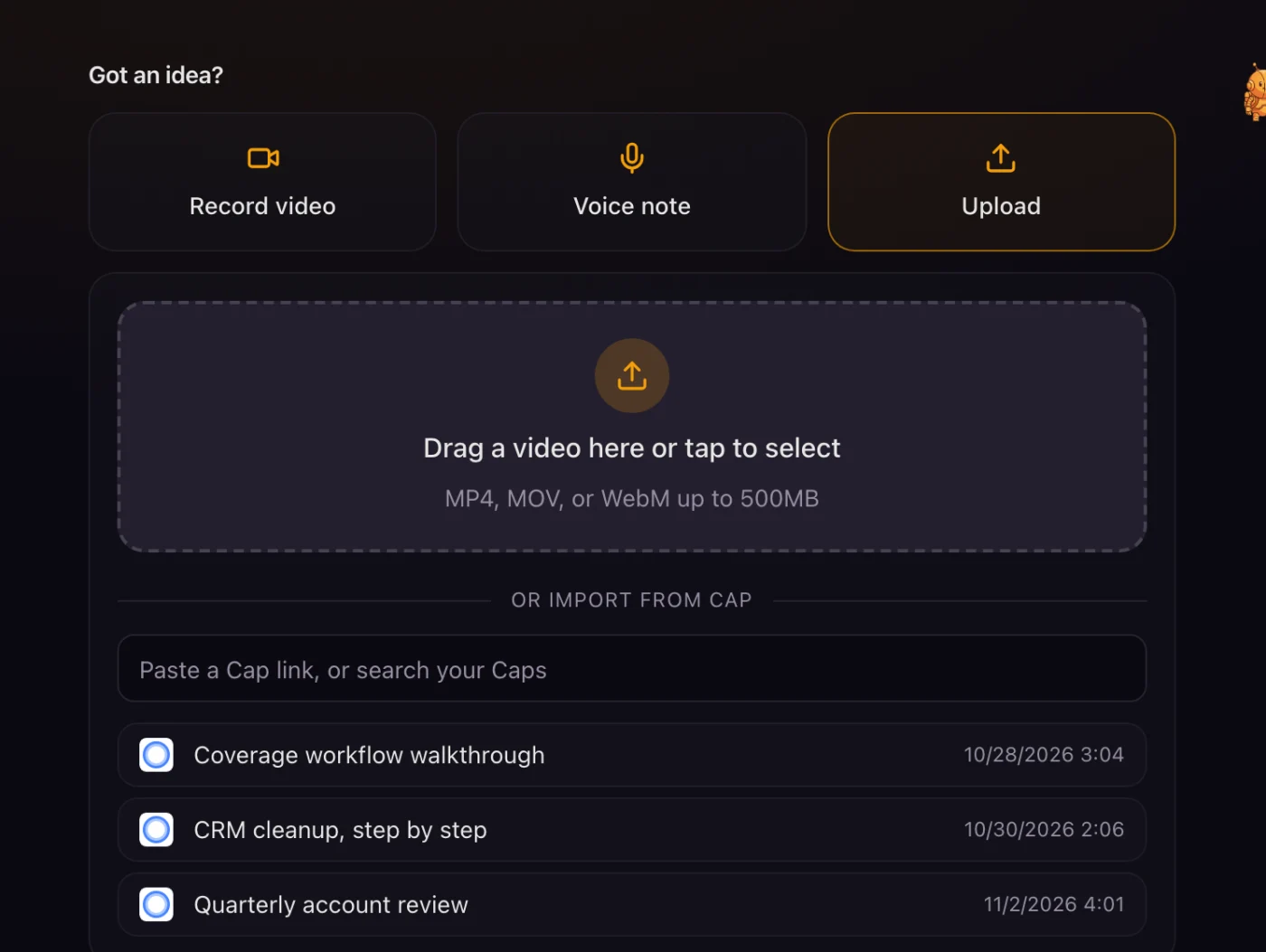
Record a video or a voice note in your browser. Or upload a file.
On your phone, tap Voice note and talk. If you record your screen with Cap, pull the recording in with a search or a link.
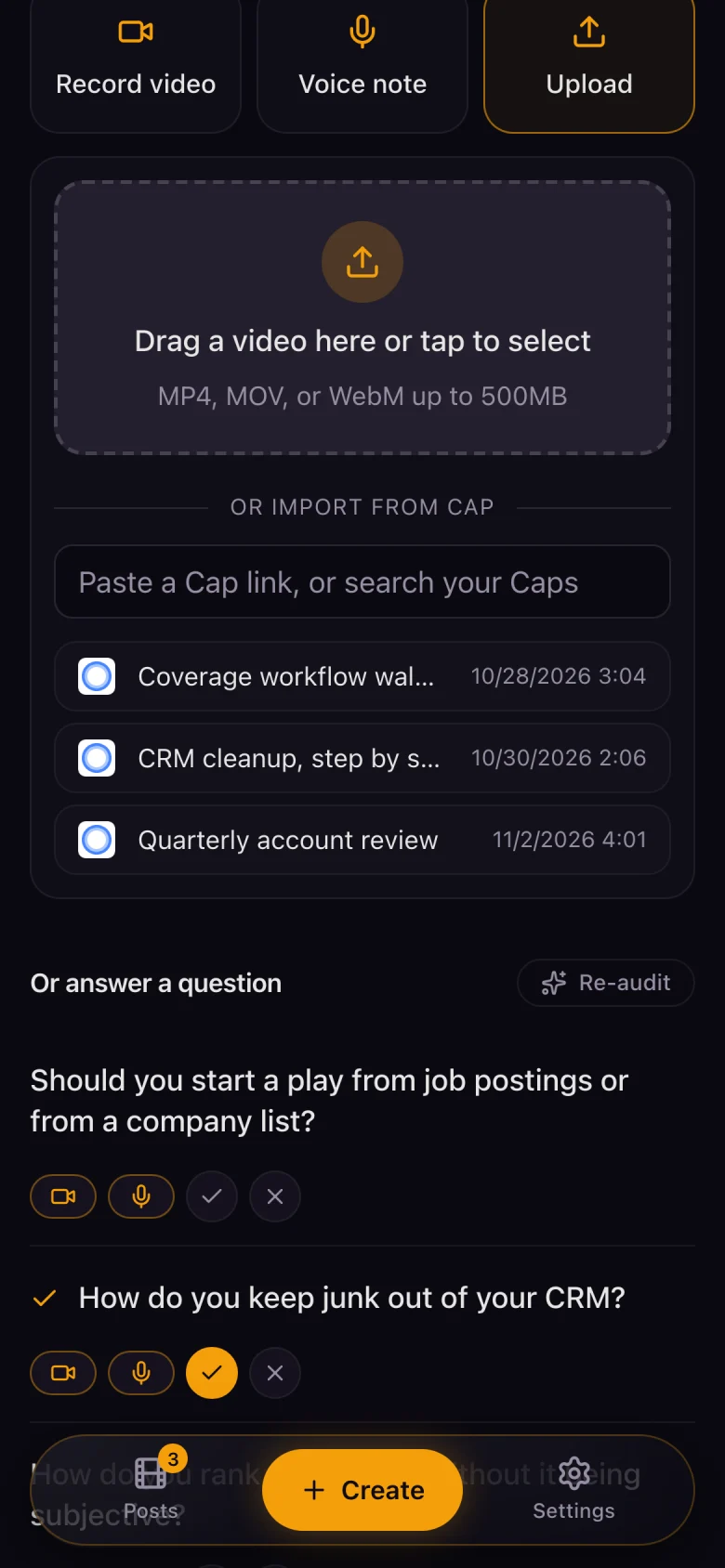
Check the video and the post
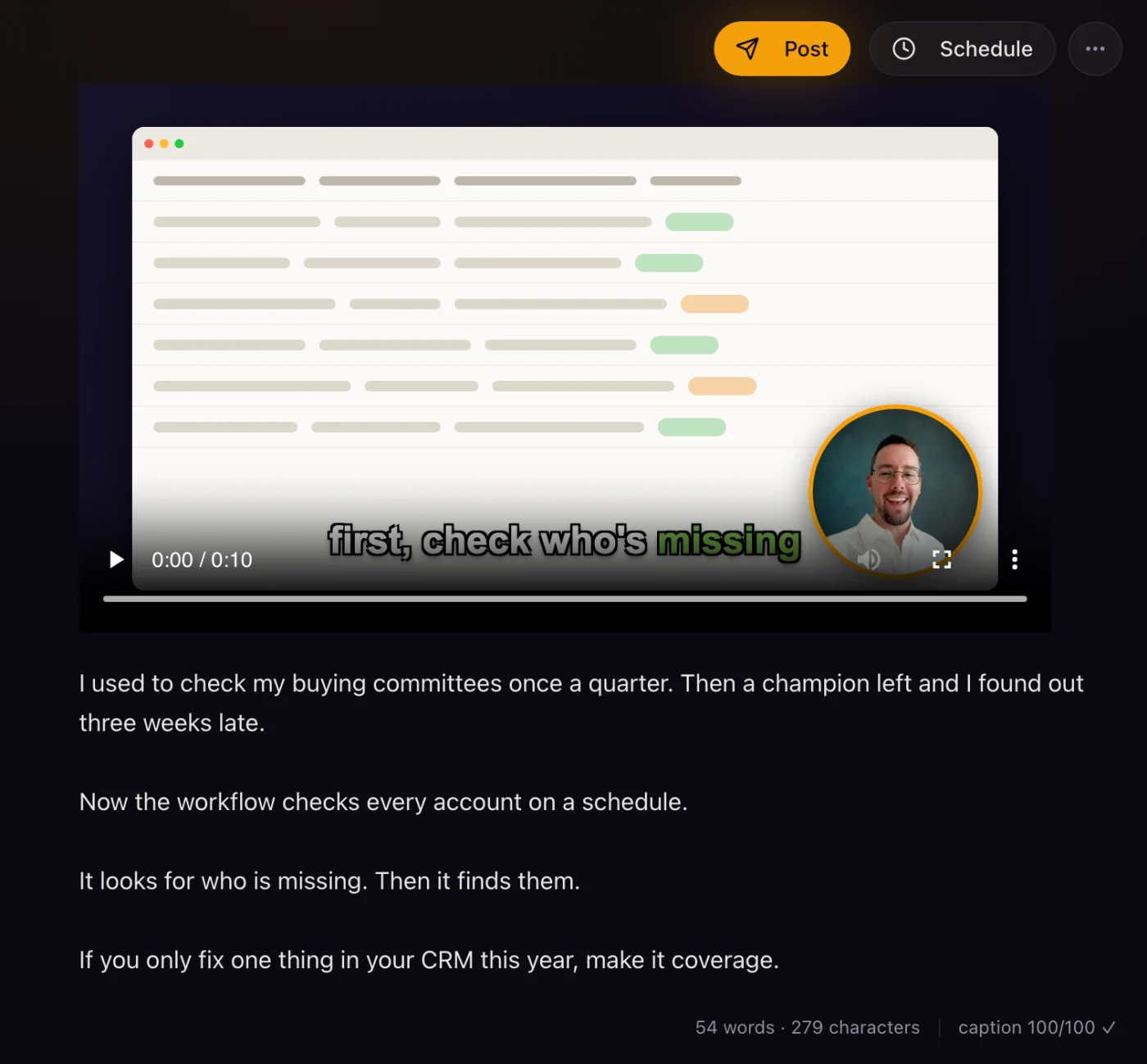
Captions are burned into the video, with your logo. The post is written from what you said.
It opens like a plain text note. Change anything. It saves as you type.
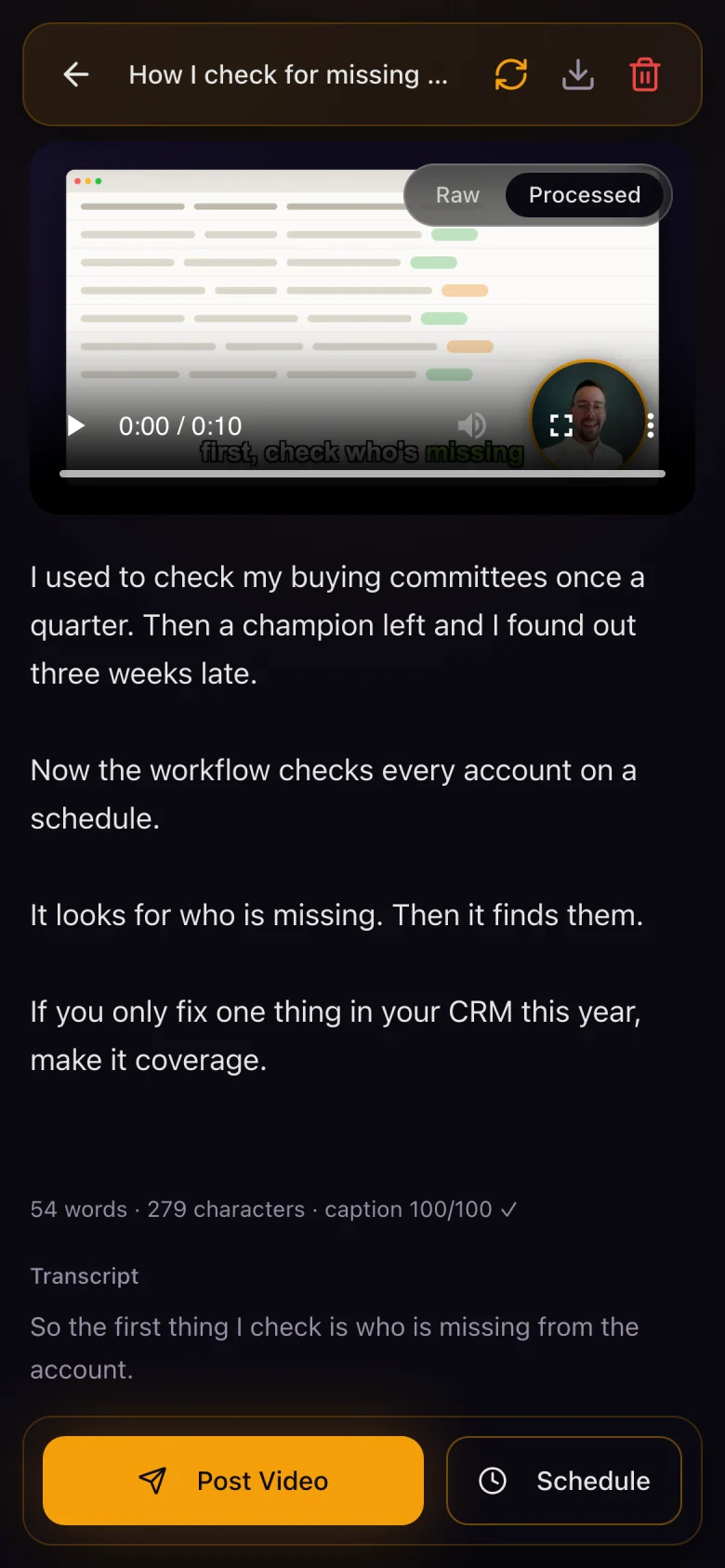
Post it, or schedule it
Post to LinkedIn now, or pick a date and time. You can still edit the text after you schedule it.
Changed your mind? Cancel the schedule with one click. A day before a post goes out, you get an email.
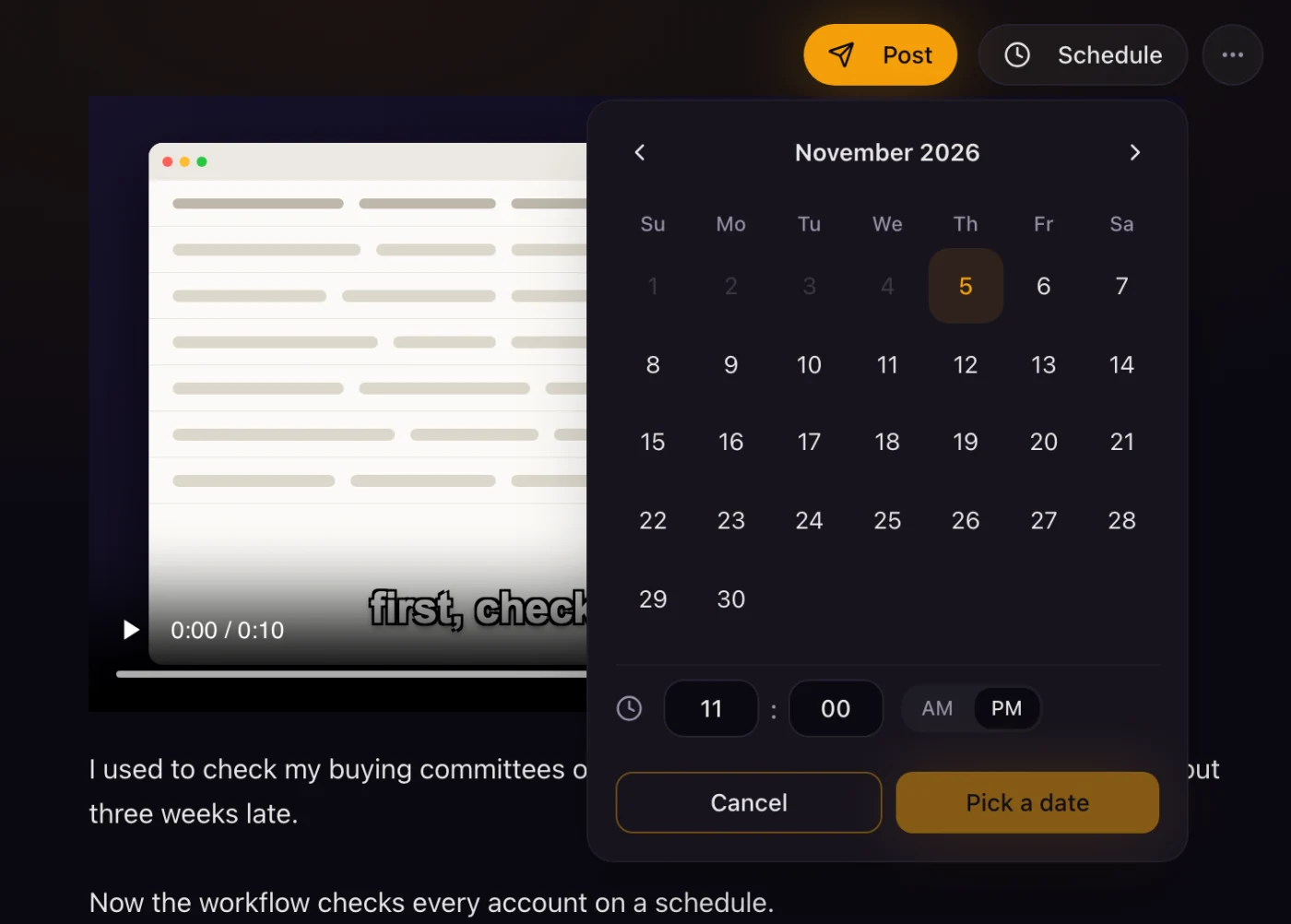
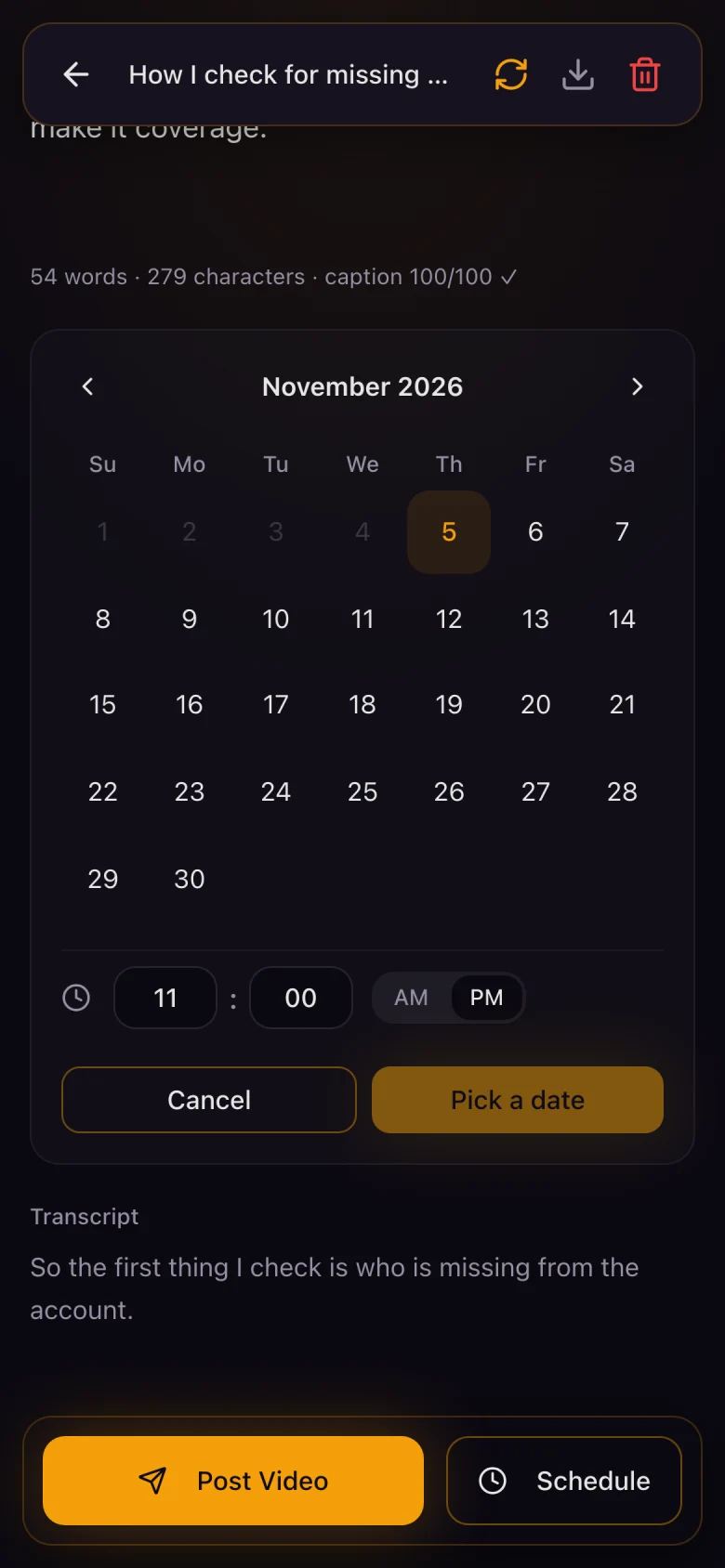
Made for your phone.
Talk into a voice note on a walk. Check the post on the train. Schedule it before you land.
Pick a question
Check the post
Schedule it
Make it look like you.
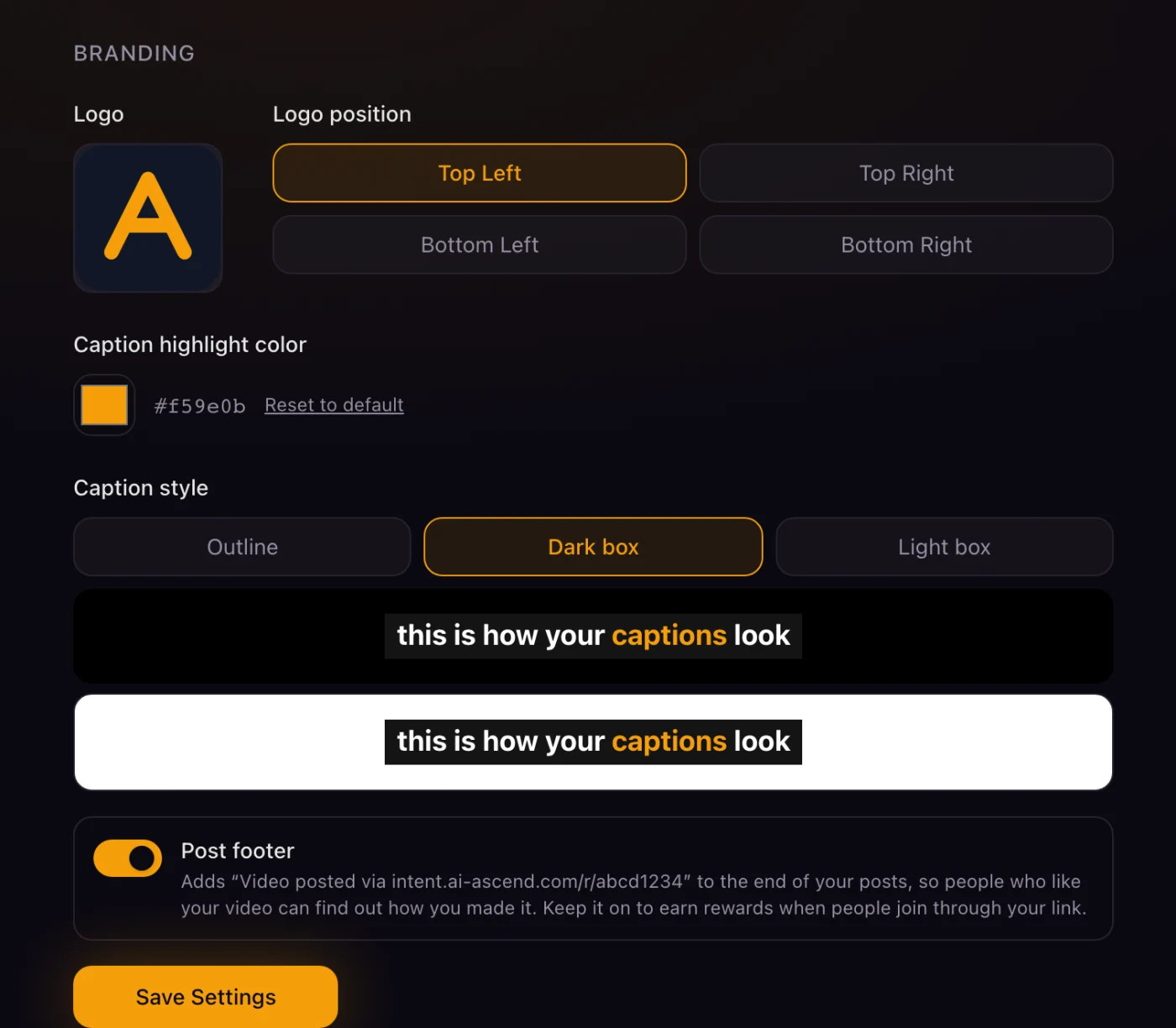
Your logo, your colors, readable captions.
Add your logo and pick where it sits. Pick the highlight color. Choose outline, dark box or light box captions so they stay readable over any recording.
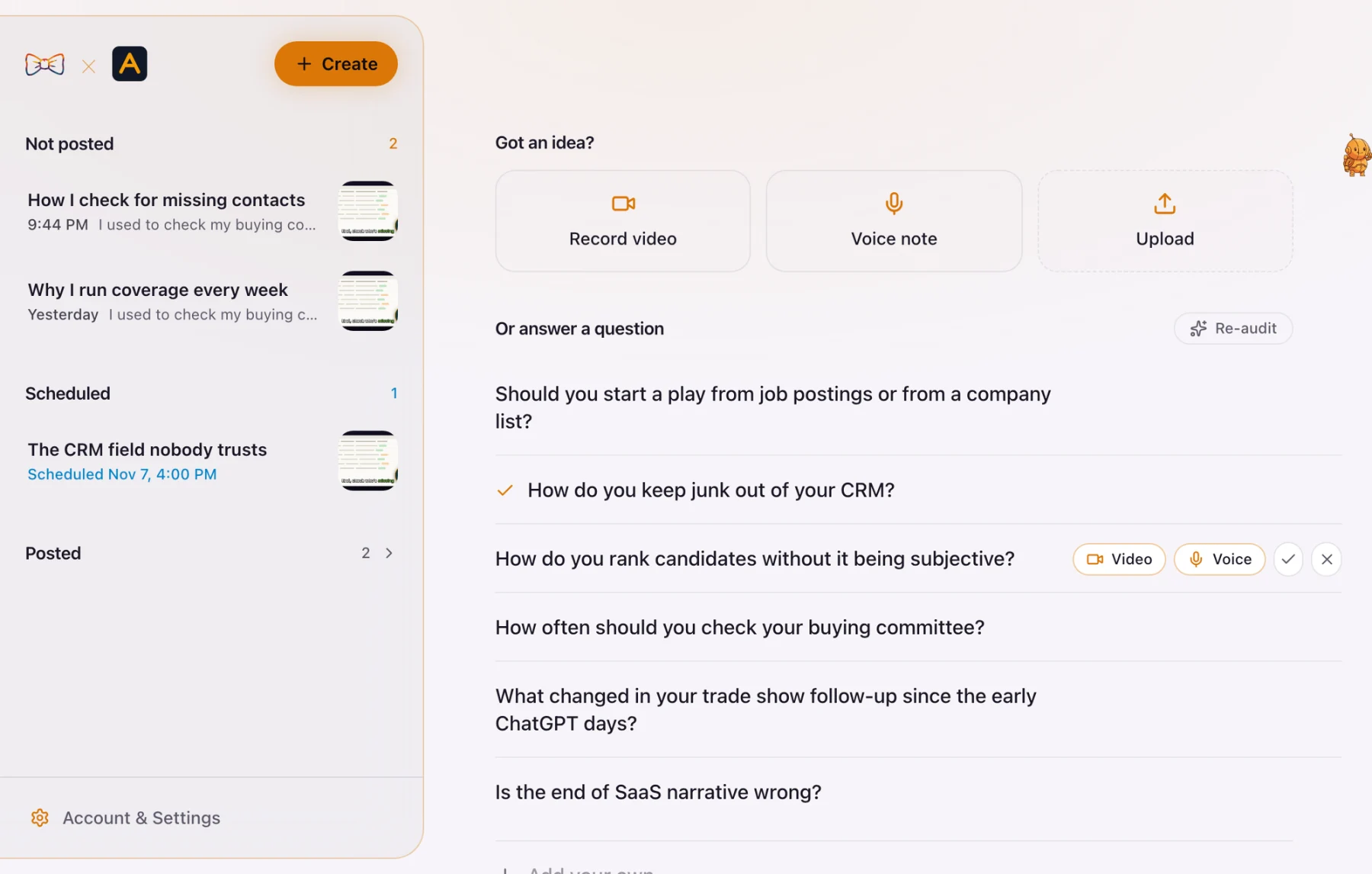
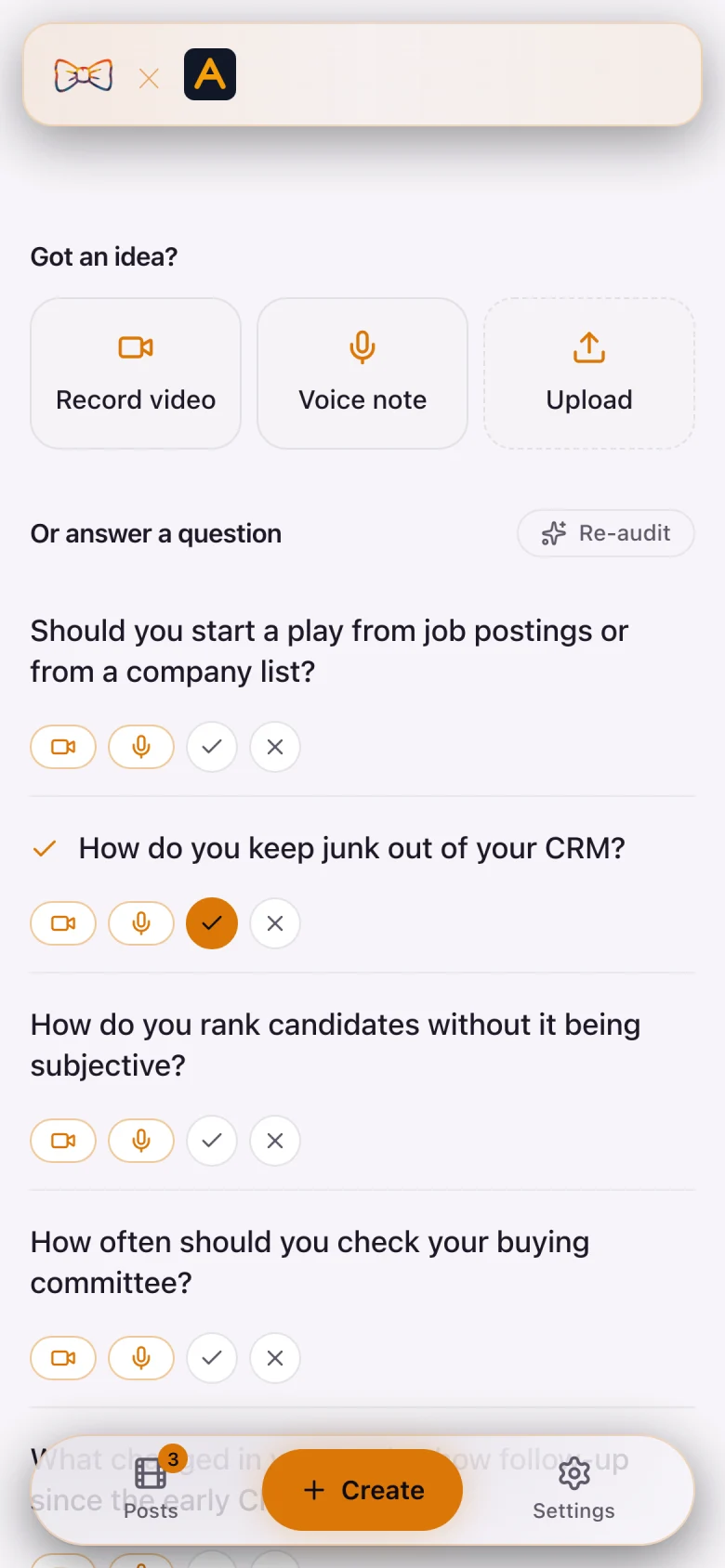
Light or dark. It follows your computer.
It matches your computer by default. You can pick light or dark yourself in settings.
Record your screen with Cap
Some links in this piece are affiliate links, each marked (affiliate). If you sign up through one, I earn a commission. I only ever link tools I actually run.
Cap is the screen recorder we use. When you show a workflow, a table or a page, record it there.
Then pull the recording into Ascend Intent with a search or a link. No download, no upload. It gets captions and a post like any other video.
New Cap users get 20% off for 12 months with our Cap link (affiliate).
Pricing
Start free. Pay when you need more.
Free
3 videos to try it
An intent engine that finds your questions
Record, speak or upload
Captions and your logo, added for you
Posts in your voice
Post or schedule on LinkedIn
Starter
5 new videos every month
Everything in Free
Keep 5 videos at a time
Swap one out whenever you like
Grow
or €179 a year
Unlimited saved videos
Everything in Starter
Advanced intent engine
Questions shaped by your best LinkedIn posts.
Scout keeps you posting, with nudges as often as you want
Prices are before VAT. Cancel any time.
Free and Starter posts end with one small line: “Video posted via intent.ai-ascend.com”. On Grow it's up to you. Keep it and earn half a month when someone you refer subscribes.
Questions
The short answers.
What is Ascend Intent?
Ascend Intent is a web app by AI Ascend. It suggests the questions your customers ask. You answer one by video or voice note. It adds captions and your logo, writes the LinkedIn post in your style, and posts or schedules it to LinkedIn.
How much does it cost?
There are three plans. Free is 3 videos in total. Starter is 2 euros a month for 5 new videos a month, and you can keep up to 5 at a time. Grow is 19 euros a month or 179 euros a year. You can save as many videos as you like (fair use applies), and you get the advanced intent engine. Prices are before VAT.
Where does it post?
LinkedIn, today. You connect your account once. Facebook, Instagram and YouTube are coming. YouTube is waiting on Google's review.
Do I need to edit video?
No. You record or upload, and it adds the captions and your logo. It is not a video editor. It does not cut, trim or add music.
How does it pick the questions?
You tell it about your business once: your website, who you sell to, and the topics you care about. It uses that, plus the videos you have recorded and your own posts, to suggest short questions. Tick the ones you like and cross off the ones you don't. It learns from both, and it never suggests a crossed-off question again. Grow also looks at which of your past LinkedIn posts did best.
Will the post sound like me?
It reads your recent LinkedIn posts and writes a short style guide from them. You can read it and change it. Every post is written from what you actually said in the video, and you can edit every word before it goes out.
How is it different from Hootsuite or Buffer?
Those tools schedule content you already have. Ascend Intent starts earlier. It helps you decide what to say, records the answer, adds captions, writes the post, and then posts it.
Where is my data kept?
Your account, videos and posts are stored in Amsterdam, in the EU. The captioning step runs on GPU servers from Modal, which may be outside the EU. The questions and posts are written with Anthropic's Claude. We do not sell your data.
Can I cancel?
Yes, any time. You keep access until the end of the period you paid for.
What is it built with?
Next.js on Railway, Postgres, Anthropic's Claude for questions and posts, WhisperX for speech to text with word timing, FFmpeg for captions, Modal for the GPU work, and Stripe for payments.